How to scan 35mm slides and negatives at home
For 35mm film, a dedicated film scanner such as the Plustek OpticFilm 8200i captures the most detail. Choose a film-capable flatbed such as the Epson Perfection V600 if you also have medium-format film or prints. Wear nitrile gloves, blow dust off every frame, and scan only the frames worth keeping.
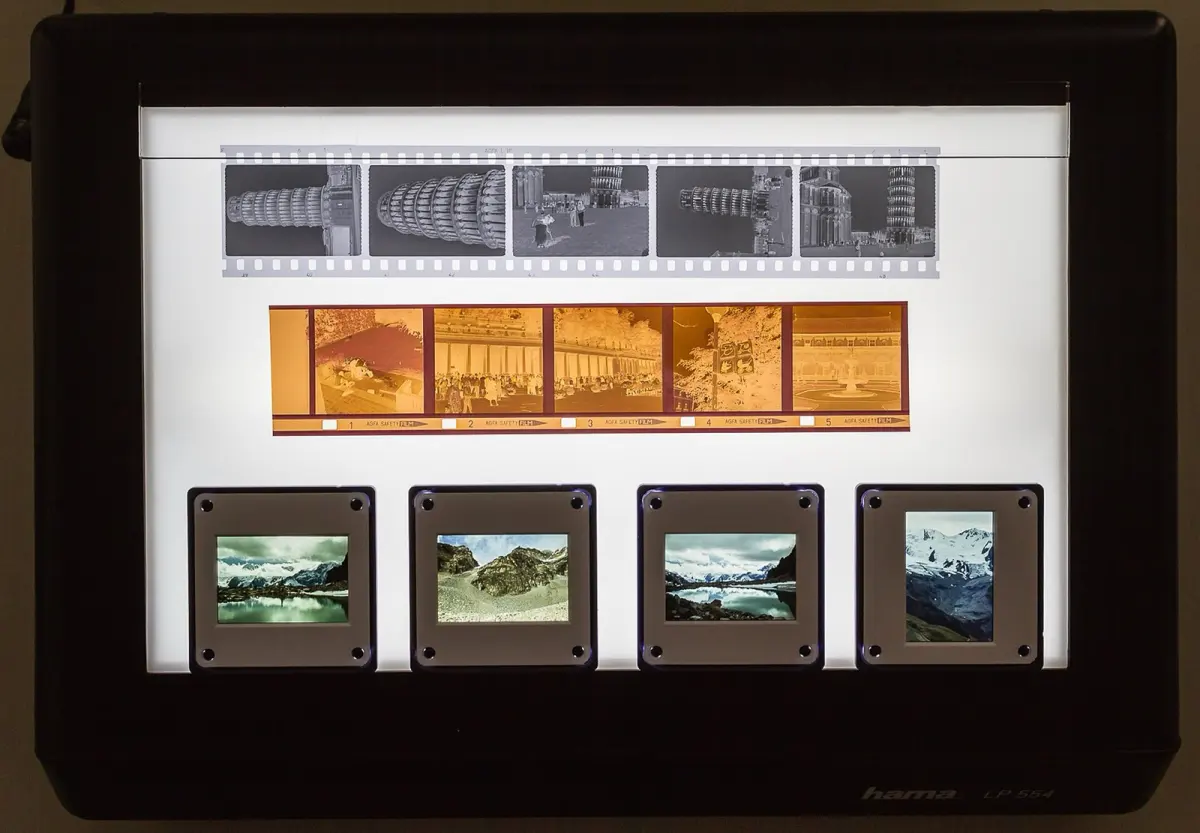
Equipment
Product links on this page go to Amazon.
| For | Product | Link |
|---|---|---|
| Scanner for 35mm | Plustek OpticFilm 8200i Choose this when the film is all 35mm and quality matters most. | See it on Amazon |
| Scanner for mixed formats optional | Epson Perfection V600 Photo Choose this instead if you also have medium-format film or want one machine for film and prints. | See it on Amazon |
| Dust removal before every frame | Giottos Rocket Air Blaster A hand-squeezed air blower. A puff of air before each scan removes loose dust without touching the surface. | See it on Amazon |
| Handling | Powder-free nitrile gloves Thin gloves that keep skin oils off film and glossy prints while leaving you enough grip to handle them. | See it on Amazon |
| Storage for negative strips | Print File archival negative pages Clear archival pages with channels for strips of film. They keep negatives flat, clean and in order. | See it on Amazon |
| Working drive | Samsung T7 portable SSD A pocket-sized solid-state drive. Use it as the working drive you scan to and organize on. | See it on Amazon |
| Second copy | WD Elements desktop hard drive A large, low-cost external hard drive. Use it as the second copy that stays in a drawer and gets updated after each scanning session. | See it on Amazon |
- Collection
- You have carousels or boxes of 35mm slides, envelopes of negative strips, or both, and you want files good enough to print from.
- Workspace
- A desk
- Budget
- About $350 to $650
Which scanner is best for slides and negatives?
If everything is 35mm, a dedicated film scanner such as the Plustek OpticFilm 8200i is the quality choice. It is built to resolve the detail in a small frame, and its infrared channel lets software remove dust and scratches from color film.
If the collection includes medium-format negatives, or you also need a flatbed for fragile prints, the Epson Perfection V600 Photo covers film and prints in one machine. It gives up some sharpness on 35mm in exchange for that range.
Do I need to scan every slide?
Most slide collections contain many near-duplicates and missed shots. Scanning every frame at full quality is the reason these projects stall.
A standalone unit like the Kodak Slide N Scan captures a frame in seconds. Its files are viewing copies, and that is enough to decide which frames deserve a proper scan. Whether it is worth buying for triage depends on the size of the collection. For a few hundred slides, holding them up to a window works.
Handling film
- Put on nitrile gloves. Fingerprints on film are hard to remove and show clearly in a scan.
- Blow dust off both sides of each frame with the blower before it goes in the holder.
- Load the film in the holder with the correct side facing the sensor, following the scanner's manual.
- Scan to the working drive, in a folder named for the roll, box or carousel.
- Move negative strips into archival pages as you finish them, and write the folder name on the page.
- Copy finished folders to the second drive.
Not covered here
Movie film, glass plates and disc film need different equipment, and for most families a specialist service is the right answer. This page covers still film in strips and mounted slides only.
Questions readers ask
Should I scan the negatives or the prints made from them?
The negatives, when you have them. Film holds more detail and tonal range than a small print made from it. Prints are the fallback when the film is lost.
Why does dust removal not work on my black-and-white film?
Infrared dust removal relies on film dyes being transparent to infrared light. The silver in traditional black-and-white film blocks infrared, so the feature must be turned off for it. Clean those frames with a blower before scanning.
How long will a few thousand slides take?
A long time with any home film scanner, because each frame is loaded and scanned individually. If you have thousands, sort first and scan only the keepers, or price a scanning service.
Sources
- Care, Handling and Storage of Photographs, Library of Congress
- Storing Family Papers and Photographs, U.S. National Archives
- Technical Guidelines for Digitizing Cultural Heritage Materials, Federal Agencies Digital Guidelines Initiative